Your First 90 Days in Cybersecurity: A Practical Roadmap (No Degree Required)
Starting from zero? A practical 12-week plan for your first 90 days in cybersecurity: the four main roles, the foundations to learn first, why hands-on labs beat certificates at the start, and the mistakes that stall most beginners.
Most people who want to get into cybersecurity don't fail because the field is too hard. They fail because they start in the wrong place. They buy three courses, watch hours of videos about hacking tools, and six weeks later they still can't explain what happens when they type a web address into a browser.
This roadmap is for anyone starting from zero: students, people changing careers, and IT staff who want to move into security. You don't need a degree to follow it. You need about an hour a day, a willingness to break things in a safe place, and the patience to learn the boring parts first.
Here is how to spend your first 90 days.
Step 1: Understand the Map Before You Pick a Road
"Cybersecurity" is not one job. It is a family of jobs that feel very different from day to day. Before you choose what to study, it helps to know where you might want to end up.
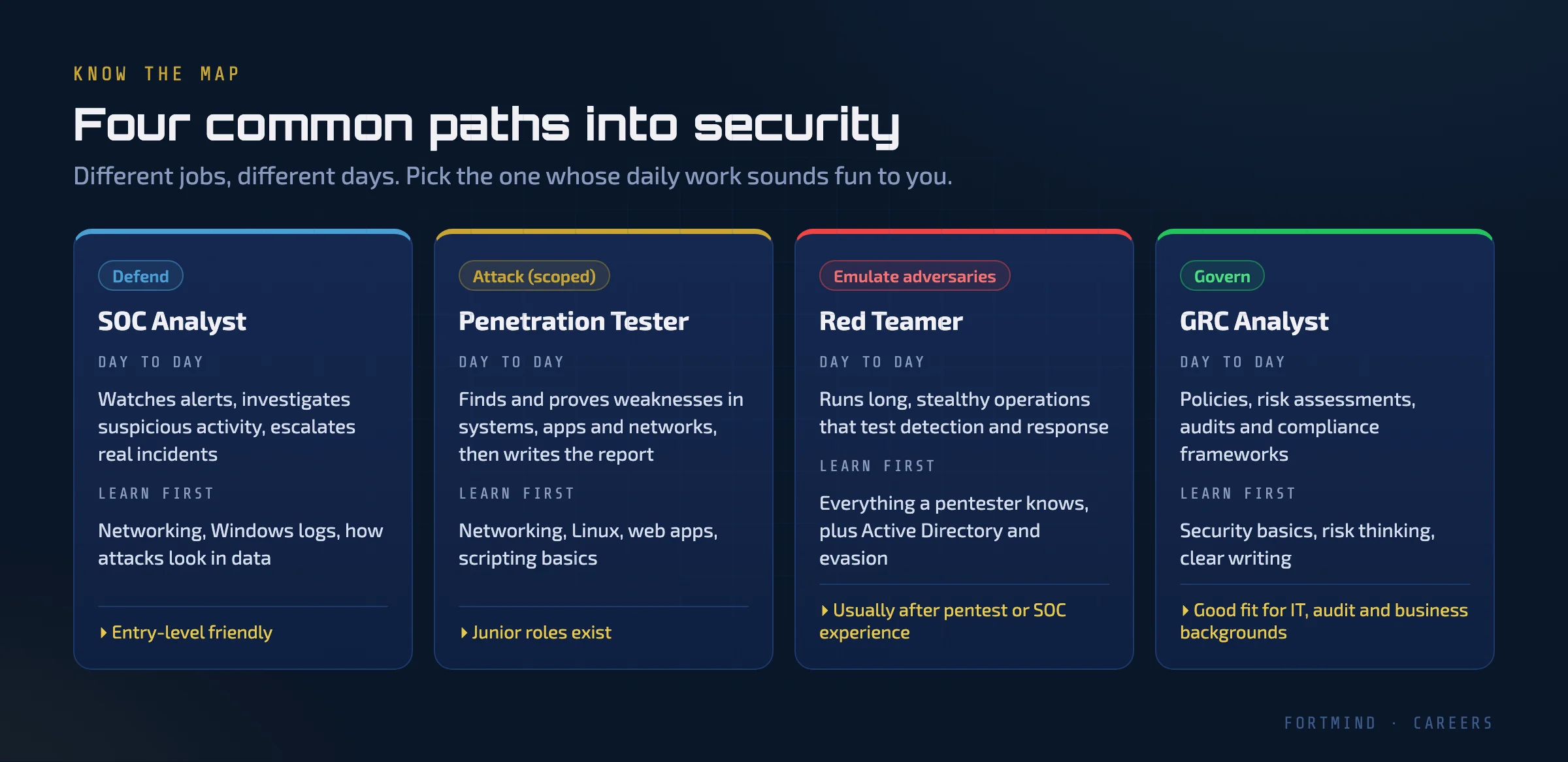
- SOC analyst. A Security Operations Center (SOC) analyst watches alerts, investigates anything suspicious, and decides what is a real incident. If you enjoy detective work and patterns in data, this is a natural start, and it is one of the most common entry points into the field.
- Penetration tester. A pentester is hired to find weaknesses in systems, applications and networks within an agreed scope, prove they are real, and write a clear report on how to fix them. The report matters as much as the hacking.
- Red teamer. Red teams run longer, quieter operations that imitate real attackers and test whether the organisation can detect and respond. It is rarely a first job. Most red teamers spent time as pentesters or SOC analysts first.
- GRC analyst. Governance, Risk and Compliance (GRC) is about policies, risk assessments, audits and frameworks such as ISO 27001. It suits people from IT, audit or business backgrounds who like structure and clear writing.
You don't have to decide today. The first eight weeks of this plan are the same for every path. But knowing the destinations helps you stay motivated when the basics feel slow.
Step 2: Learn the Four Foundations
Every security role assumes you already understand how systems work when nothing is wrong. You can't spot a malicious connection if you don't know what a normal one looks like, and you can't exploit a web application if you don't know how a request travels from the browser to the server.
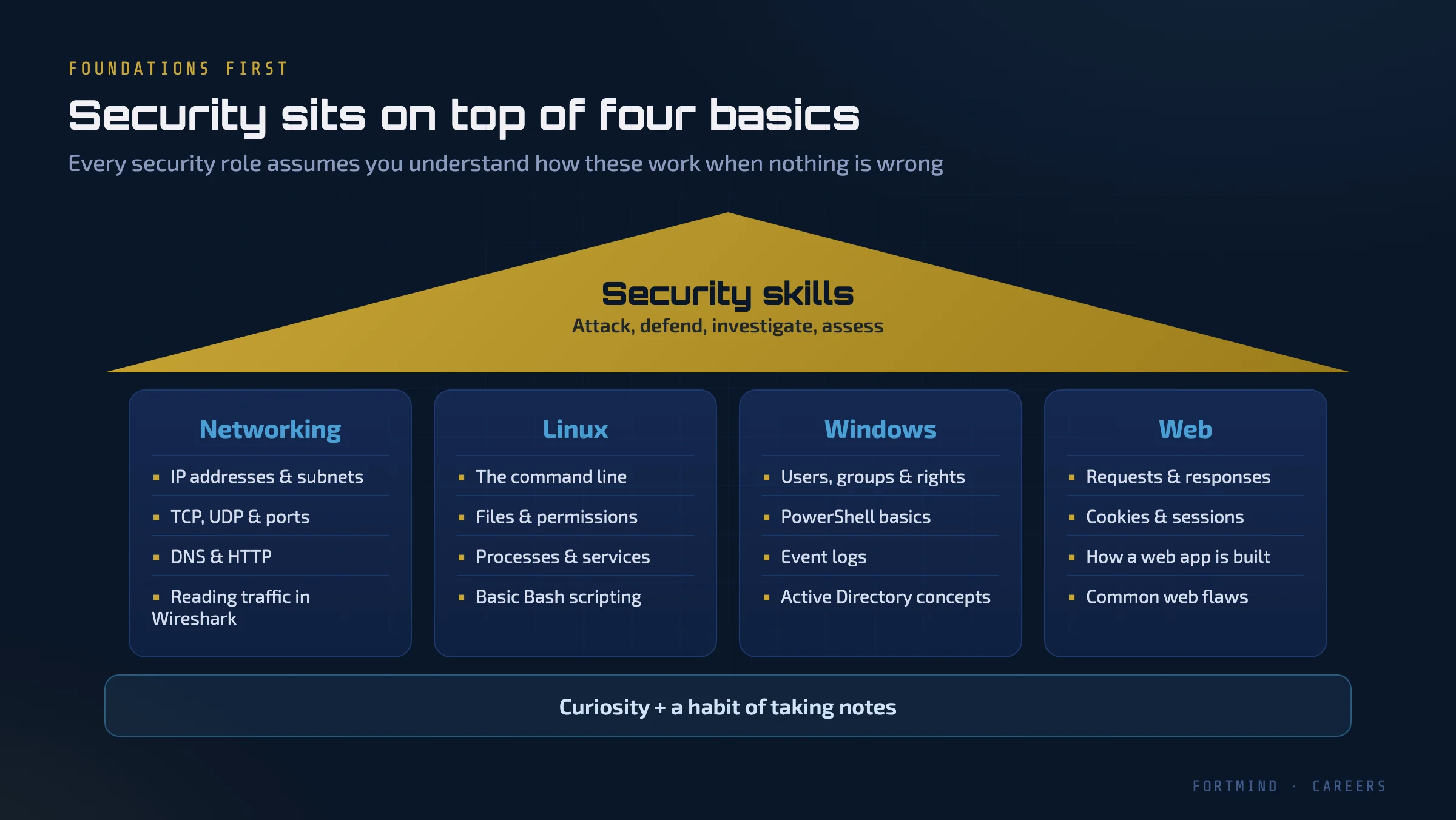
These are the four foundations:
- Networking. IP addresses and subnets, TCP and UDP, ports, DNS, and HTTP. Learn to open a packet capture in Wireshark and follow a conversation from start to finish.
- Linux. The command line, files and permissions, processes and services, and enough Bash to automate small tasks. Most security tools, and many servers, run on Linux.
- Windows. Users, groups and rights, PowerShell, event logs, and the basic idea of Active Directory. Most companies still run their offices on Windows, so both attackers and defenders spend a lot of time here.
- The web. Requests and responses, cookies and sessions, how a web application is put together, and the most common types of web flaws.
None of this is glamorous. All of it pays off. When you later learn an attack technique, you will understand why it works instead of just copying commands.
Step 3: Get Your Hands Dirty Early
The biggest shortcut in this field is also the simplest: do things, don't just read about them.
There is nothing wrong with certificates. Many employers use them to filter CVs, and preparing for one gives your study a clear structure. The problem is the order. If you study for a multiple-choice exam before you have touched a real system, you end up knowing the vocabulary without the skill. Interviewers notice quickly, usually the moment they say "show me how you would do that".
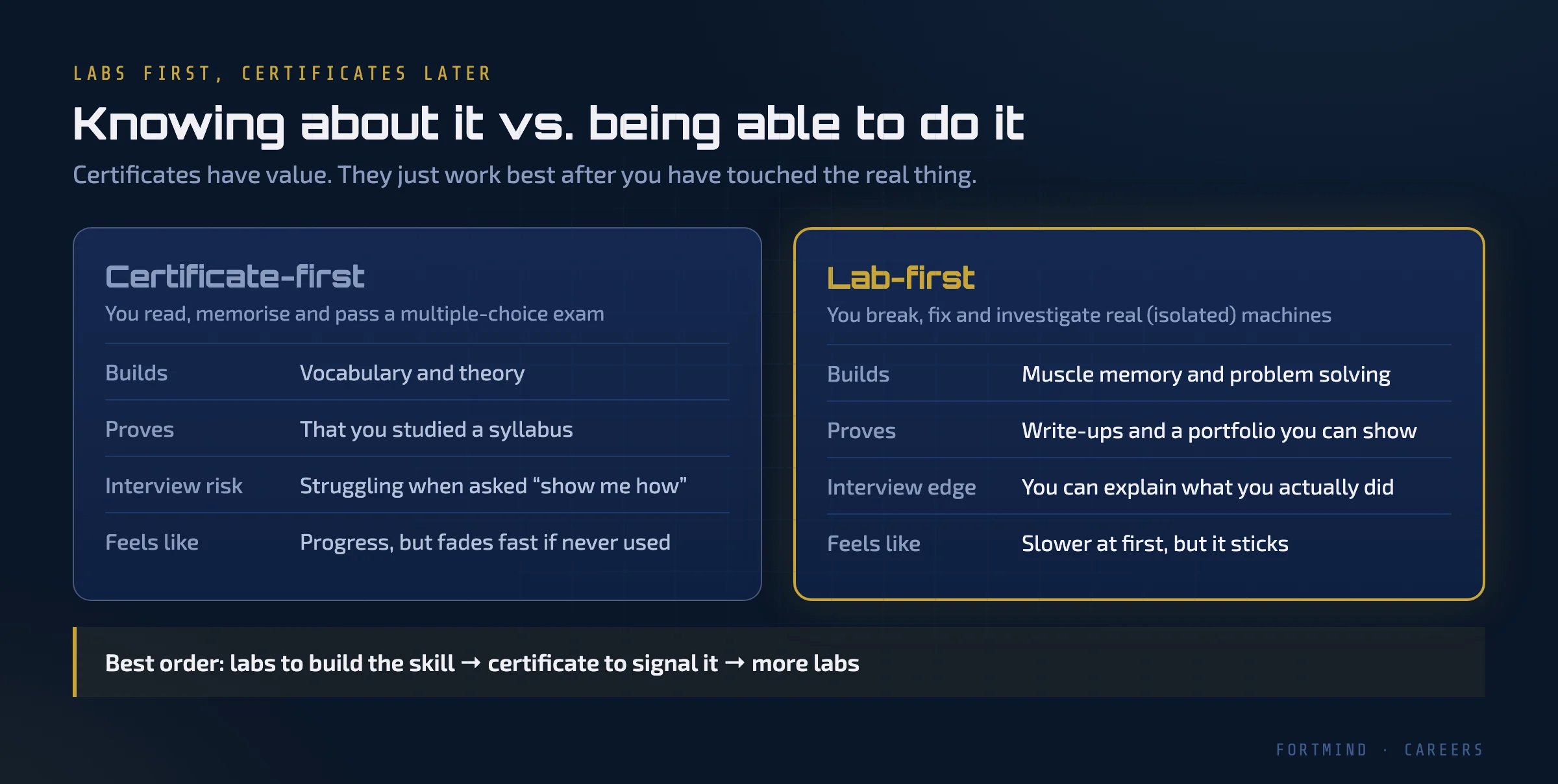
Hands-on labs fix this. In a lab you scan a real (isolated) machine, read real logs, and break and fix real services. You make mistakes and see what happens, and that is how the knowledge sticks. Each lab also gives you something to write about, which becomes your portfolio.
A good order is: labs to build the skill, then a certificate to signal it, then more labs.
One rule with no exceptions: only practise on systems you own or have written permission to test. Use purpose-built labs, Capture The Flag (CTF) challenges, and your own virtual machines. Scanning or attacking anything else, even "just to see", can be illegal, and it is never a good start to a security career.
Step 4: Follow a 12-Week Plan
Here is a plan you can actually finish. Each block lasts two weeks, and every week ends with at least one lab. If you can give it about an hour on weekdays and a longer session at the weekend, that is enough.
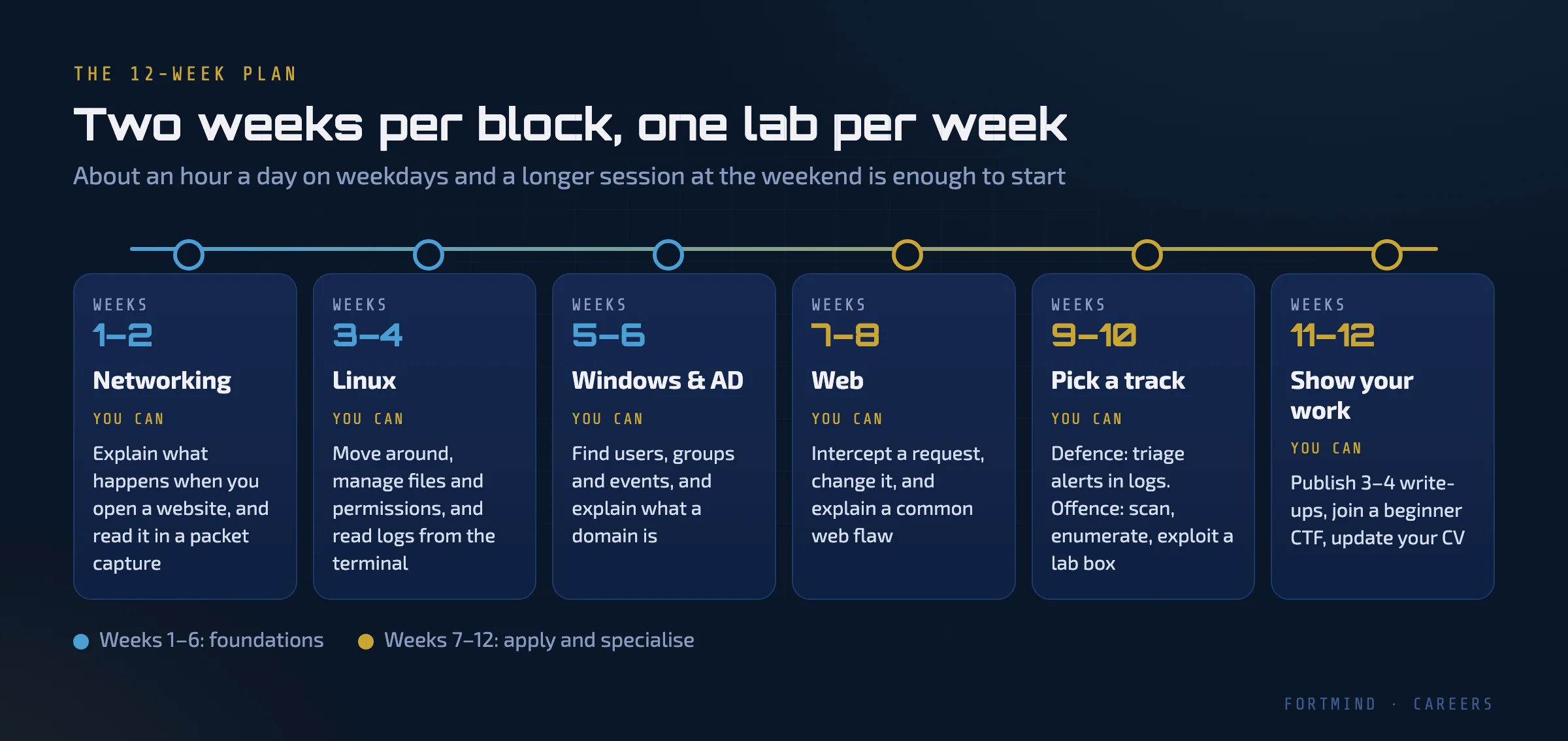
Weeks 1–2: Networking. Learn how data moves: IP addressing, ports, the TCP handshake, DNS lookups and HTTP requests. By the end you should be able to open a packet capture and explain what happened when someone visited a website.
Weeks 3–4: Linux. Live in the terminal. Move around the file system, manage permissions, start and stop services, and read logs. Write a small Bash script that saves you time.
Weeks 5–6: Windows and Active Directory. Explore users, groups and permissions. Use PowerShell to query the system, open the Event Viewer, and learn what a domain, a domain controller and a group policy are.
Weeks 7–8: The web. Use an intercepting proxy such as Burp Suite to watch requests between your browser and a test application. Change a request and see what the server does. Learn how a few common flaws work, such as SQL injection and broken access control, on applications built for practice.
Weeks 9–10: Pick a track. Now lean towards the path that interests you most.
- Defence: read logs, triage alerts, and work out from the evidence what an attacker did.
- Offence: run the full cycle on lab machines: reconnaissance, scanning, enumeration and exploitation.
Weeks 11–12: Show your work. Publish three or four write-ups of labs you completed, explaining what you did and why. Join a beginner-friendly CTF. Update your CV and LinkedIn profile with the skills you can now demonstrate, not just the courses you watched.
| Weeks | Focus | By the end you can… |
|---|---|---|
| 1–2 | Networking | Explain a website visit from a packet capture |
| 3–4 | Linux | Work comfortably in the terminal and read logs |
| 5–6 | Windows & AD | Find users, groups and events; explain a domain |
| 7–8 | Web | Intercept and modify a request; explain a common flaw |
| 9–10 | Your track | Triage alerts, or attack a lab machine end to end |
| 11–12 | Portfolio | Show write-ups and talk through your work |
Ninety days will not make you an expert. It will give you a solid base, real evidence of your skills, and a clear idea of which direction to go next. That is far more than most beginners have after a year of scattered learning.
Step 5: Avoid the Mistakes That Stall Most Beginners
Most people who give up are not short of talent. They lose momentum, usually for one of these reasons.
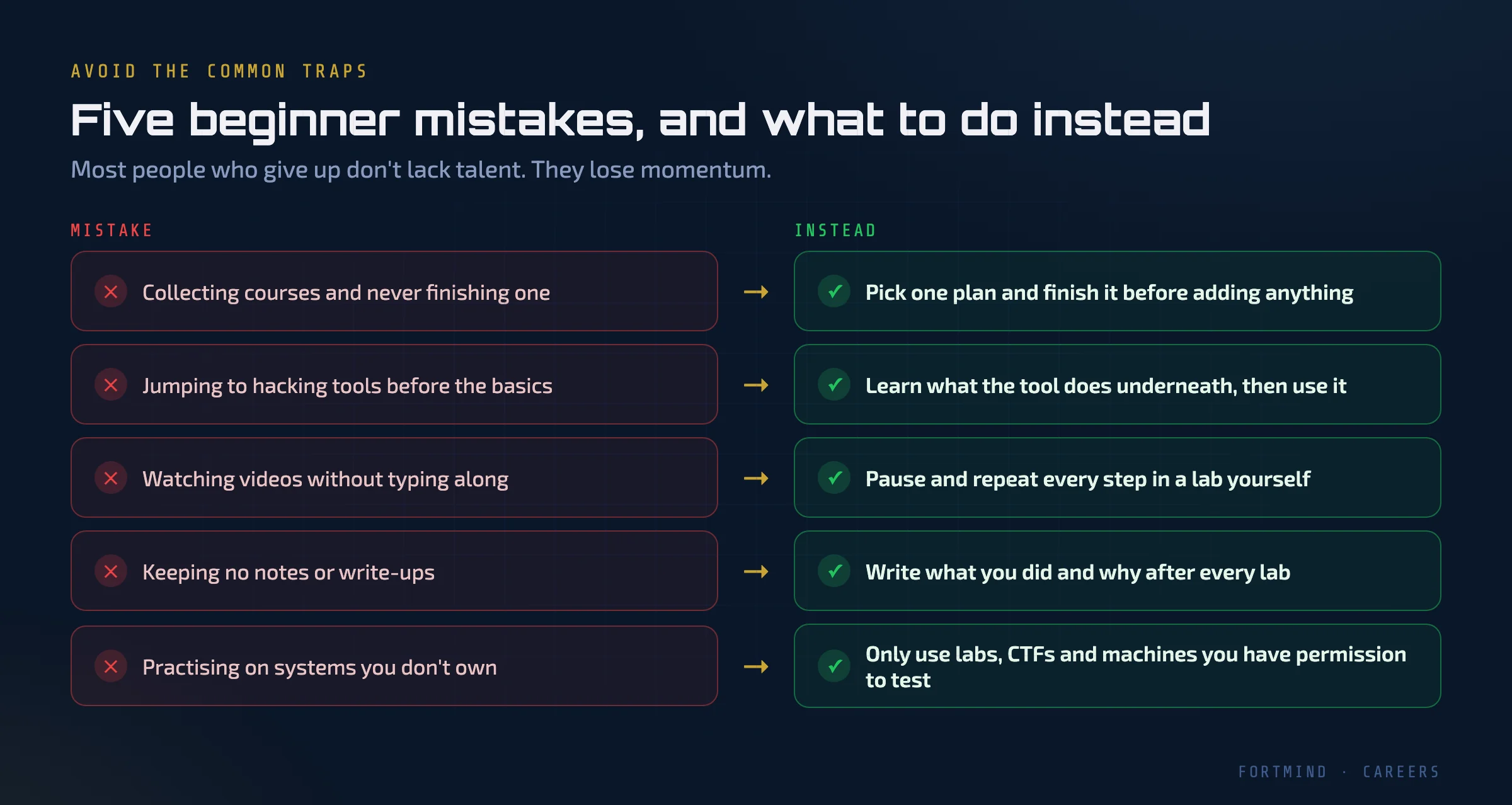
- Collecting courses. Buying a new course every time motivation drops feels productive, but it resets your progress. Pick one plan and finish it.
- Jumping straight to hacking tools. Tools change; the concepts underneath them don't. If you know what a scanner is doing, you can use any scanner.
- Watching without doing. Videos are useful, but only if you pause and repeat every step yourself.
- Keeping no notes. After every lab, write down what you did, what failed and what you learned. Those notes become your write-ups, and later your interview answers.
- Practising where you have no permission. This one can end a career before it starts. Stay inside labs and CTFs.
Where to Start Today
You don't need to plan all 90 days before you begin. You only need to finish the first lab.
That is why we built FortMind's labs to run entirely in the browser: no VPN, no installs, and nothing to configure on your own computer. You open a lesson, launch an isolated machine, and start working. Lessons are available in Arabic and English, and in our FM-F100 Foundations course every lesson ends in a lab you actually work through, so the theory and the practice arrive together.
If you have been waiting for the right moment to start, pick a lab today and begin with week one. You can start at fortmind.qa.